MQL5 Expert Advisor

Run Pine Script Inside MetaTrader 5

Bring Pine Script to MetaTrader 5 with a single file drop. Run your indicators and strategies in MT5 without webhooks or code rewrites.


How to Run Pine Script in MetaTrader 5

Three simple steps to run any Pine Script indicator in MT5. No coding, no MQL5 knowledge needed.

1

Copy Your Favourite Indicator or Strategy

Copy the indicator or strategy code from TradingView into a .txt file.
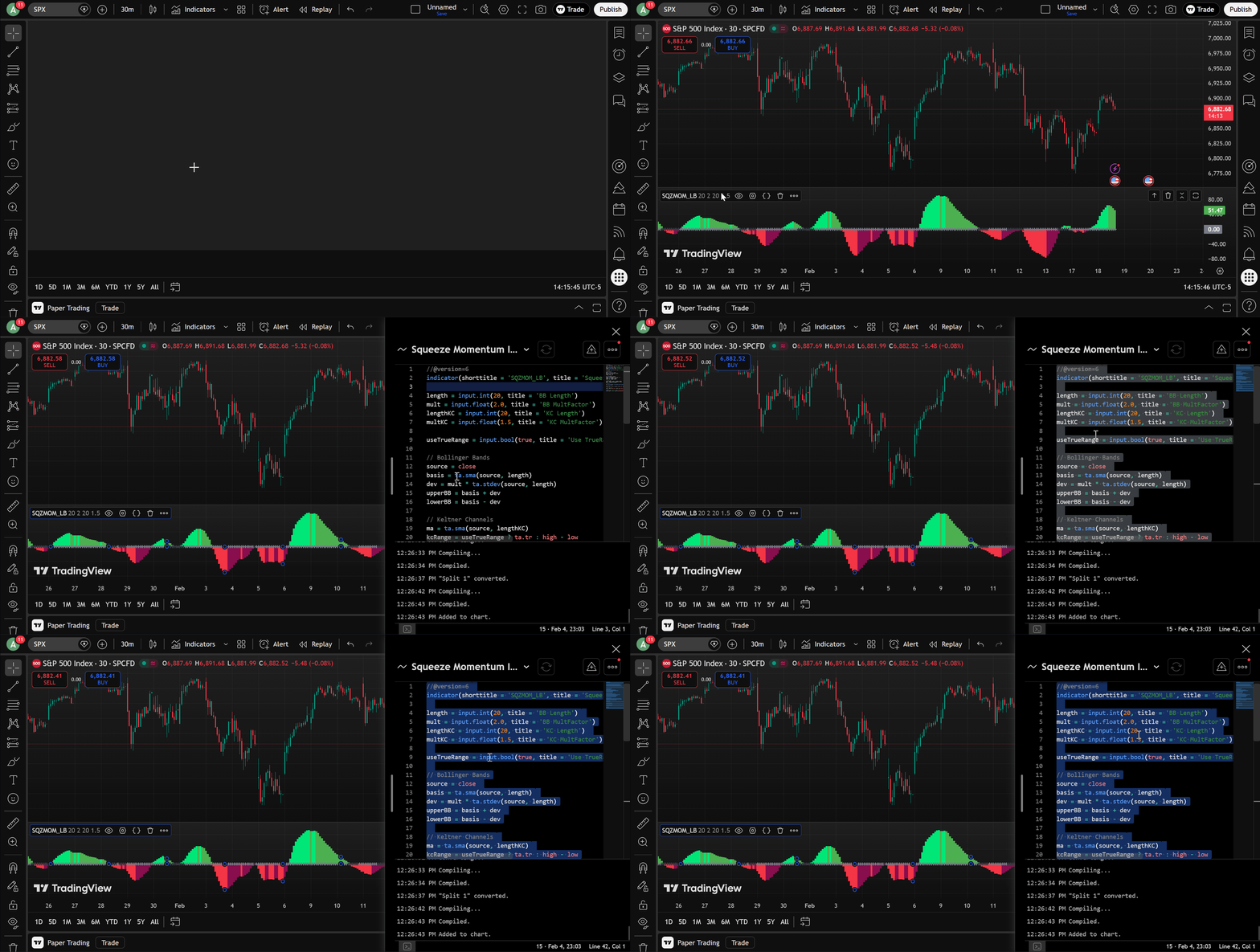
Copying Pine Script source code
2

Paste It Into the MT5 Files Directory

Save the file in your MT5 MQL5/Files folder (you can add multiple scripts).
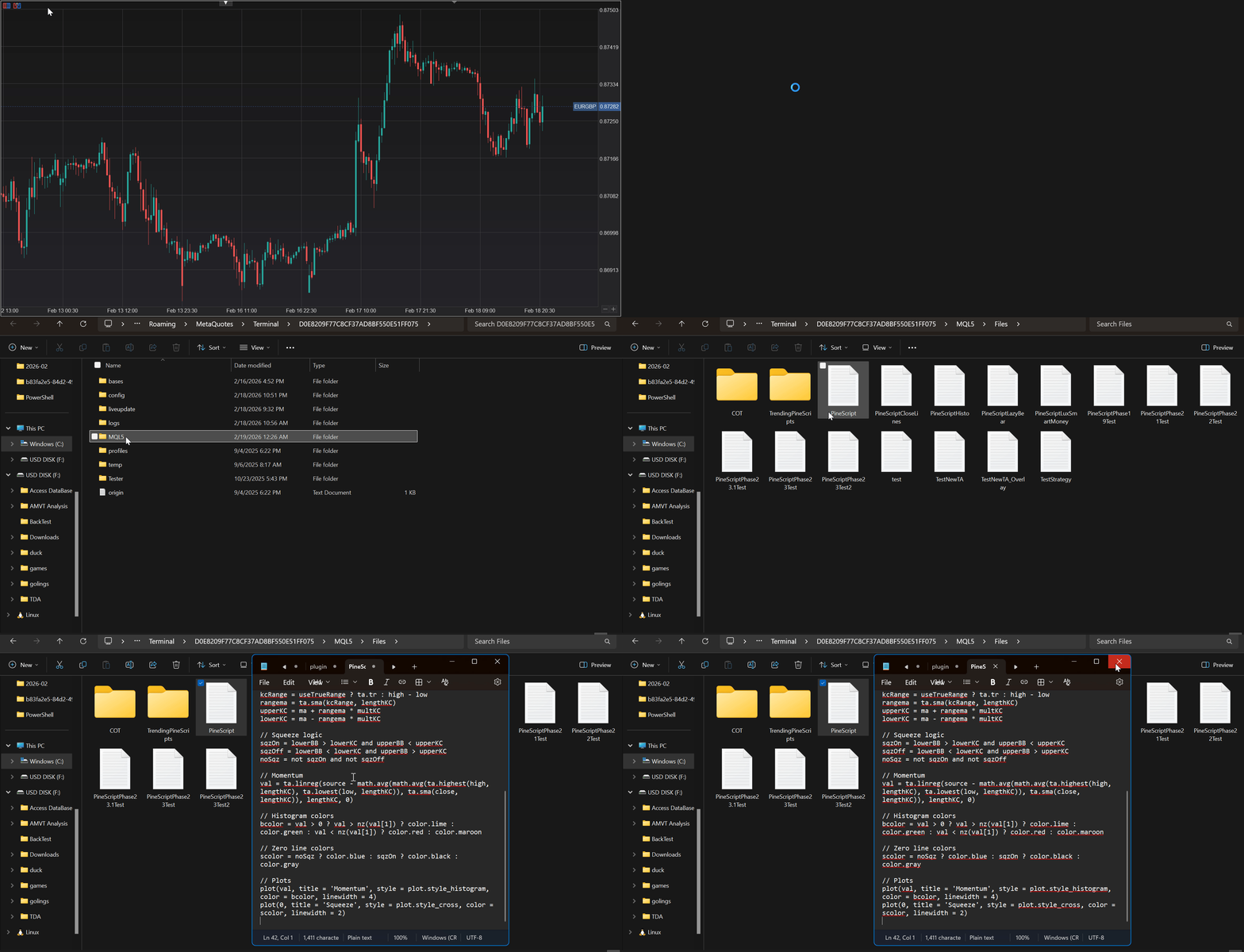
Pasting Pine Script into MT5 Files directory
3

Enter the Filename in PineChart — Done

Attach PineChart, enter the filename(s) in Indicators or Strategy, and your script runs live in MT5.
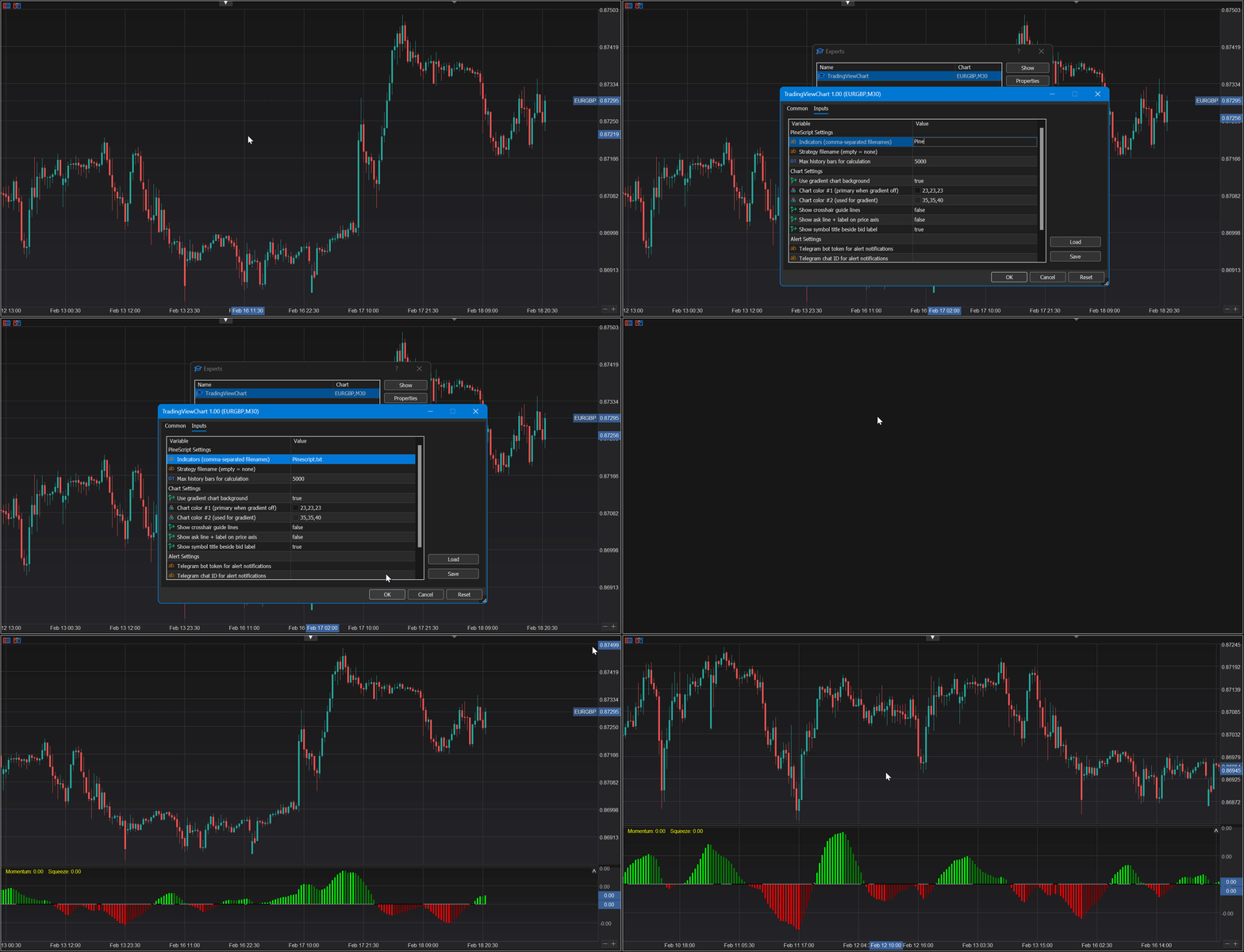
PineChart running a Pine Script indicator in MT5

No webhook subscriptions. No freelancer porting fees. No code rewrites.

It's that easy.


Key Features of PineChart for MetaTrader 5

A full Pine Script engine and modern charting UI — everything you need to run Pine Script in MT5.

Modern TradingView-Style Charts

Full-canvas rendering: candlesticks, OHLC, line, area, Heiken Ashi, volume. Dark gradient themes, crosshair, grid, zoom, pan — all on an optimized canvas with zero lag or flicker.
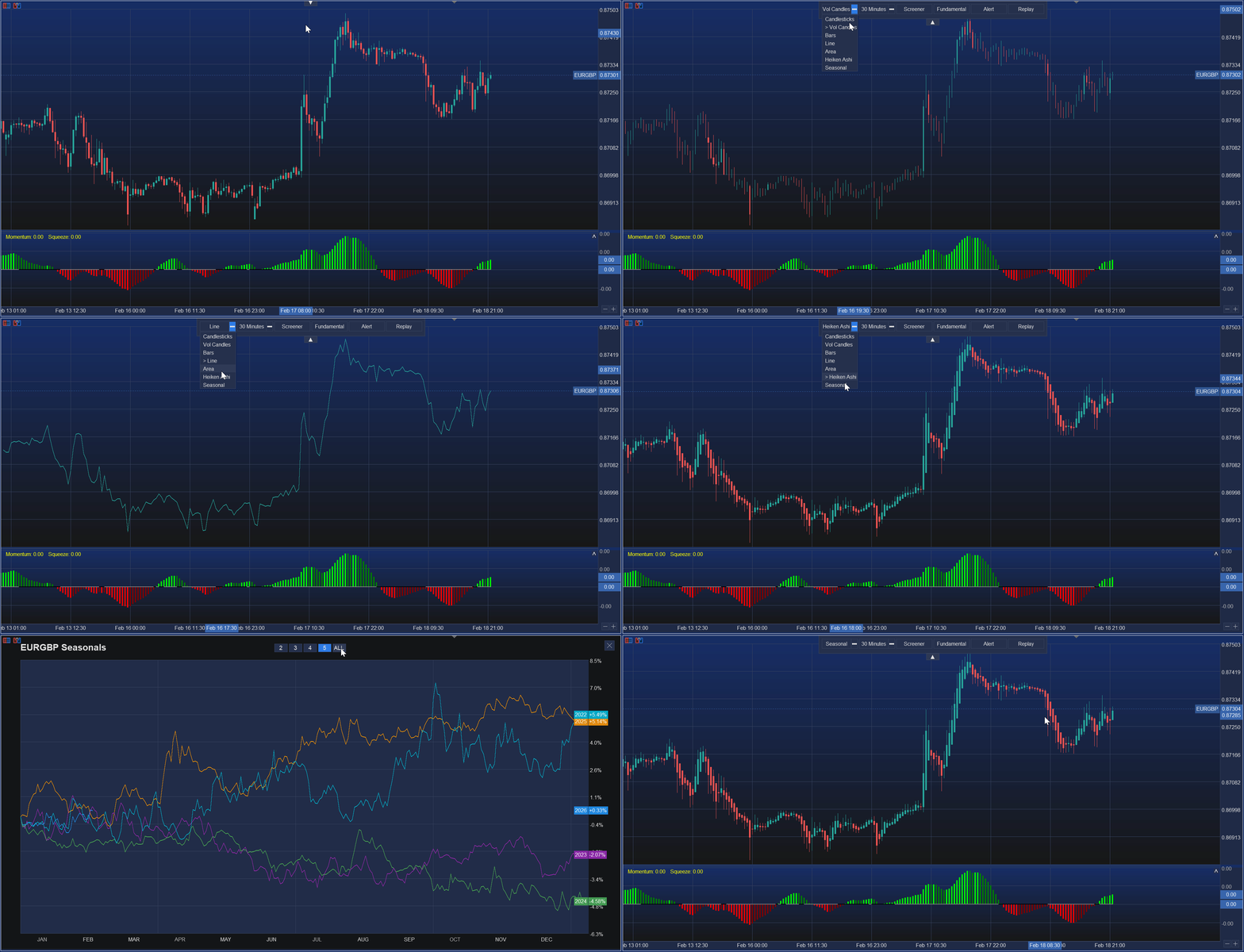
Modern TradingView-style chart in MetaTrader 5

Interactive Trade Panel V2

5-tab trade panel (Market, Limit, Stop, Stop Limit, Manage) with risk/reward, lot calculation, on-chart TP/SL drag, partial closes, breakeven, and trailing stop automation.
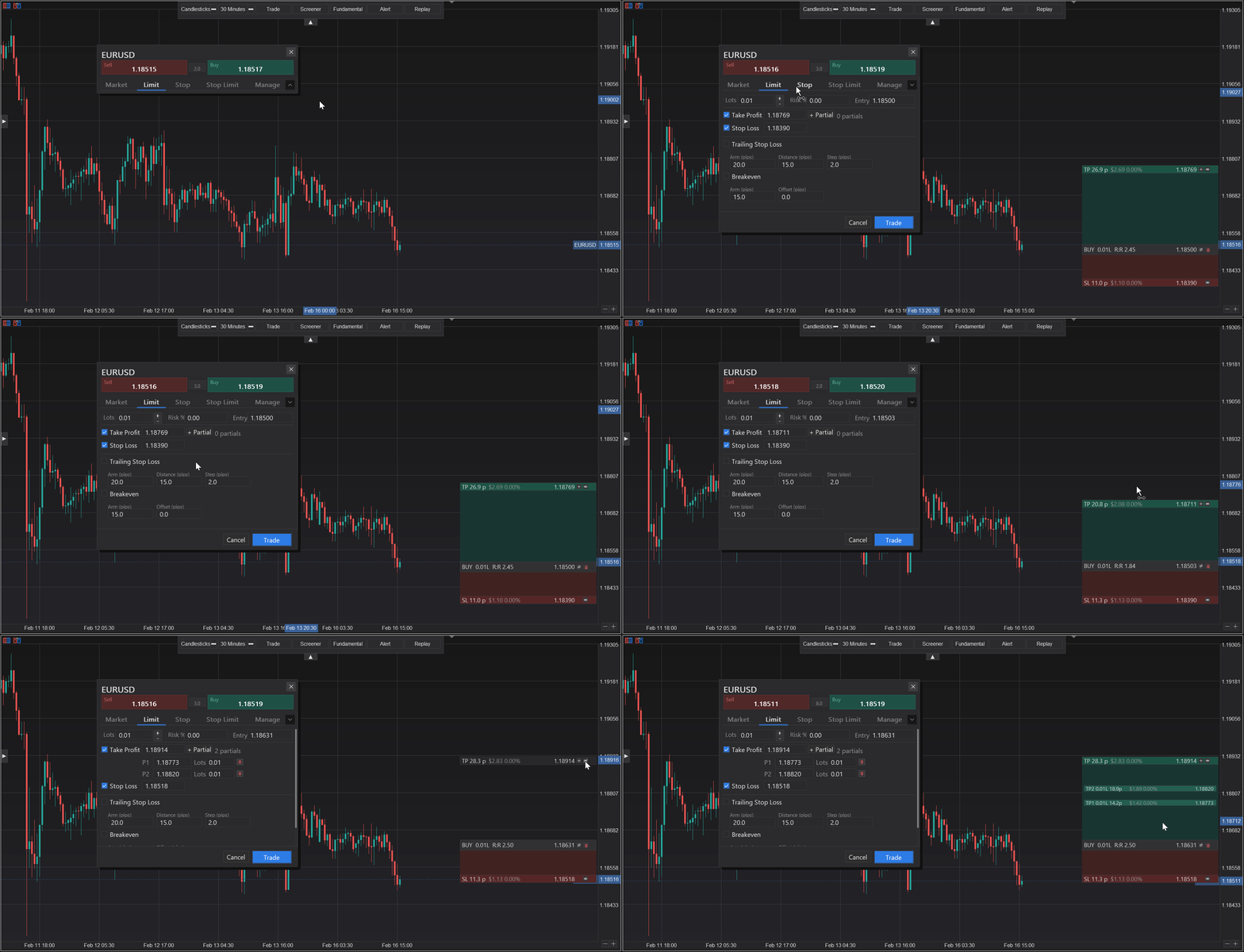
Interactive trade panel in PineChart

Multi-Symbol Screener

Mini-chart screener panel that fetches symbols from Market Watch and displays them side by side. Scan multiple instruments at a glance without leaving your chart.
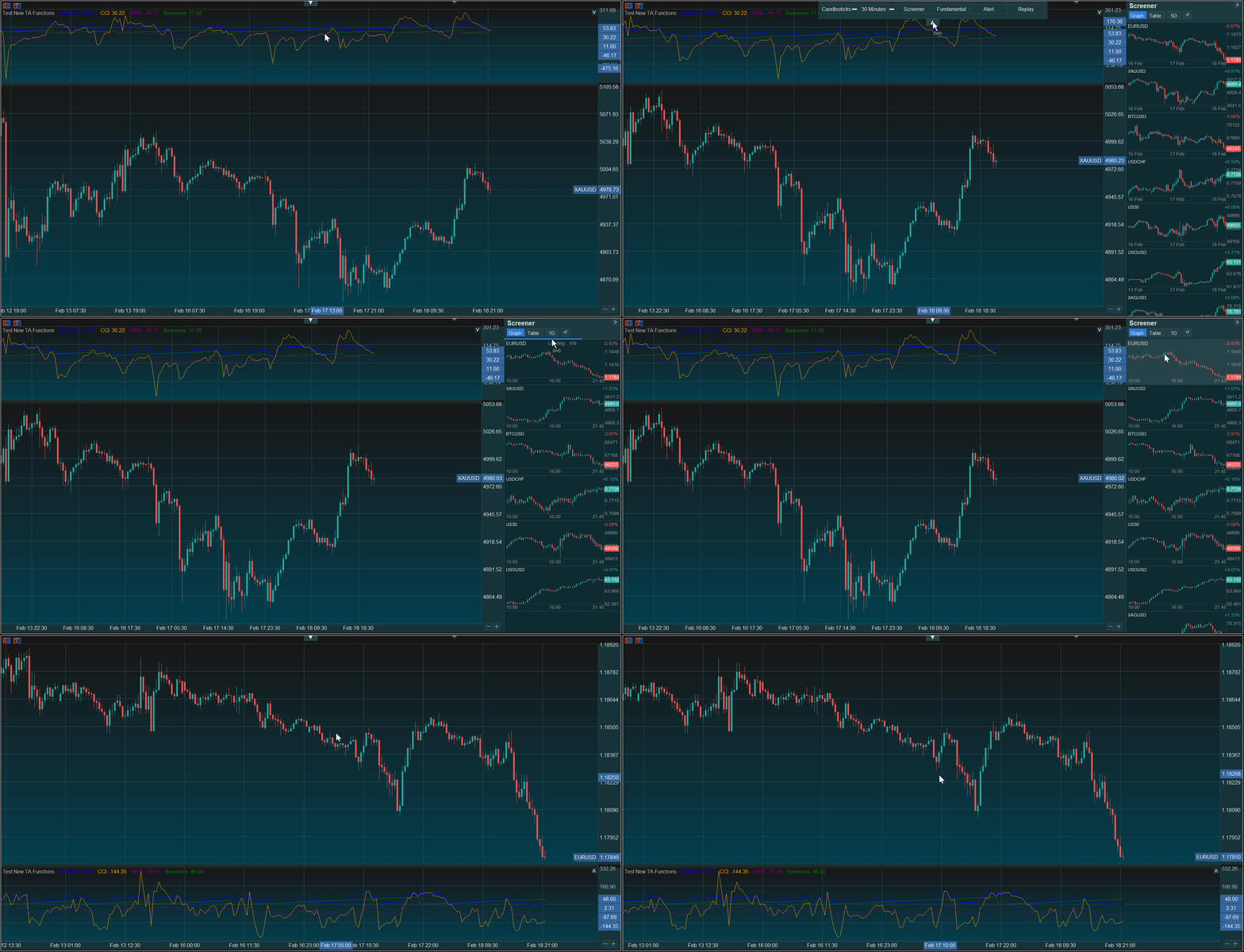
Multi-symbol screener panel

Alerts & Notifications

Runtime alert engine with Telegram and MetaQuotes push notifications. Set price alerts, crossing conditions, and custom triggers — get notified instantly on any device.
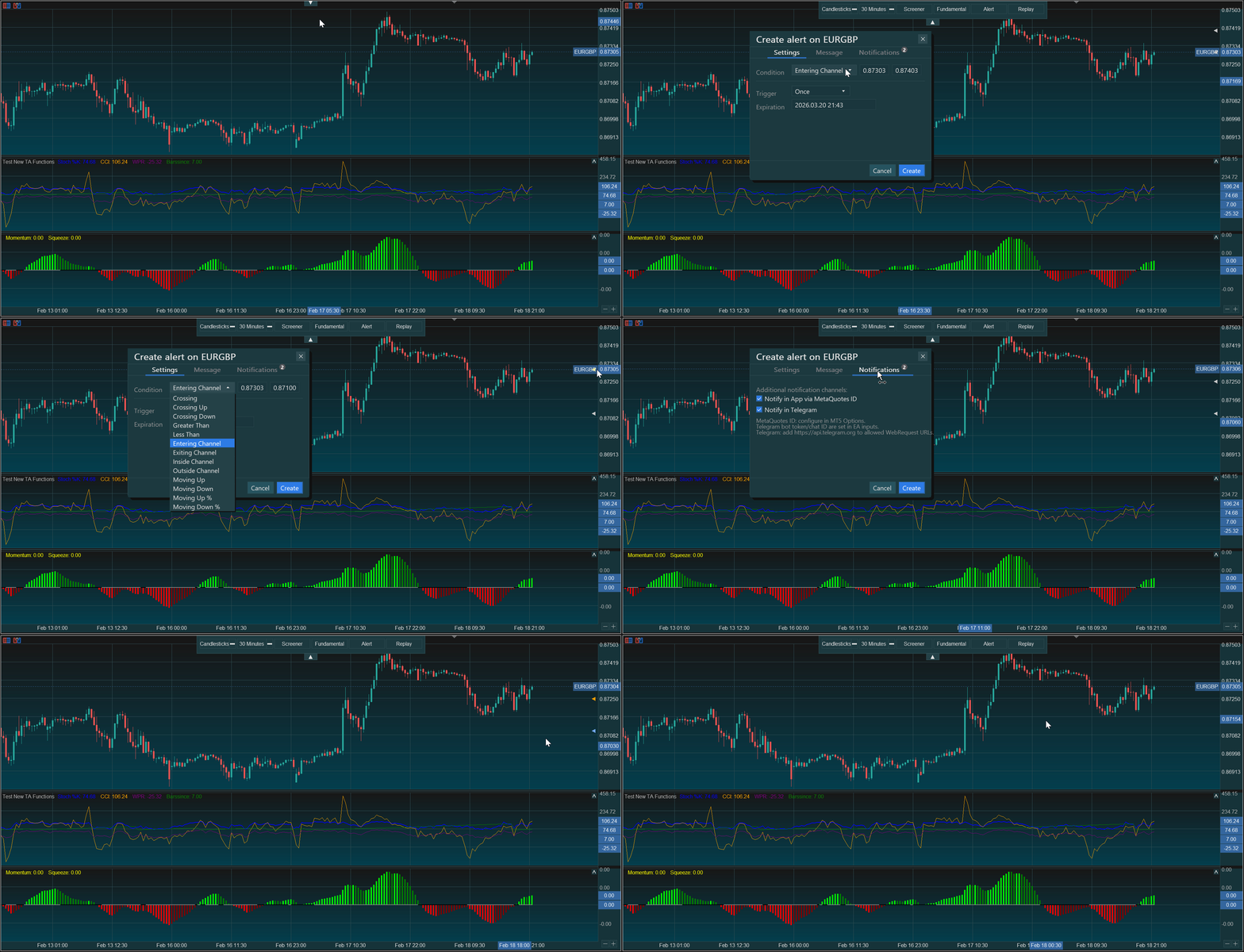
Alert configuration and notifications

Bar Replay Mode

Step through historical bars one at a time with play/pause and speed control. Practice your strategy on past data, review setups, and study price action at your own pace.
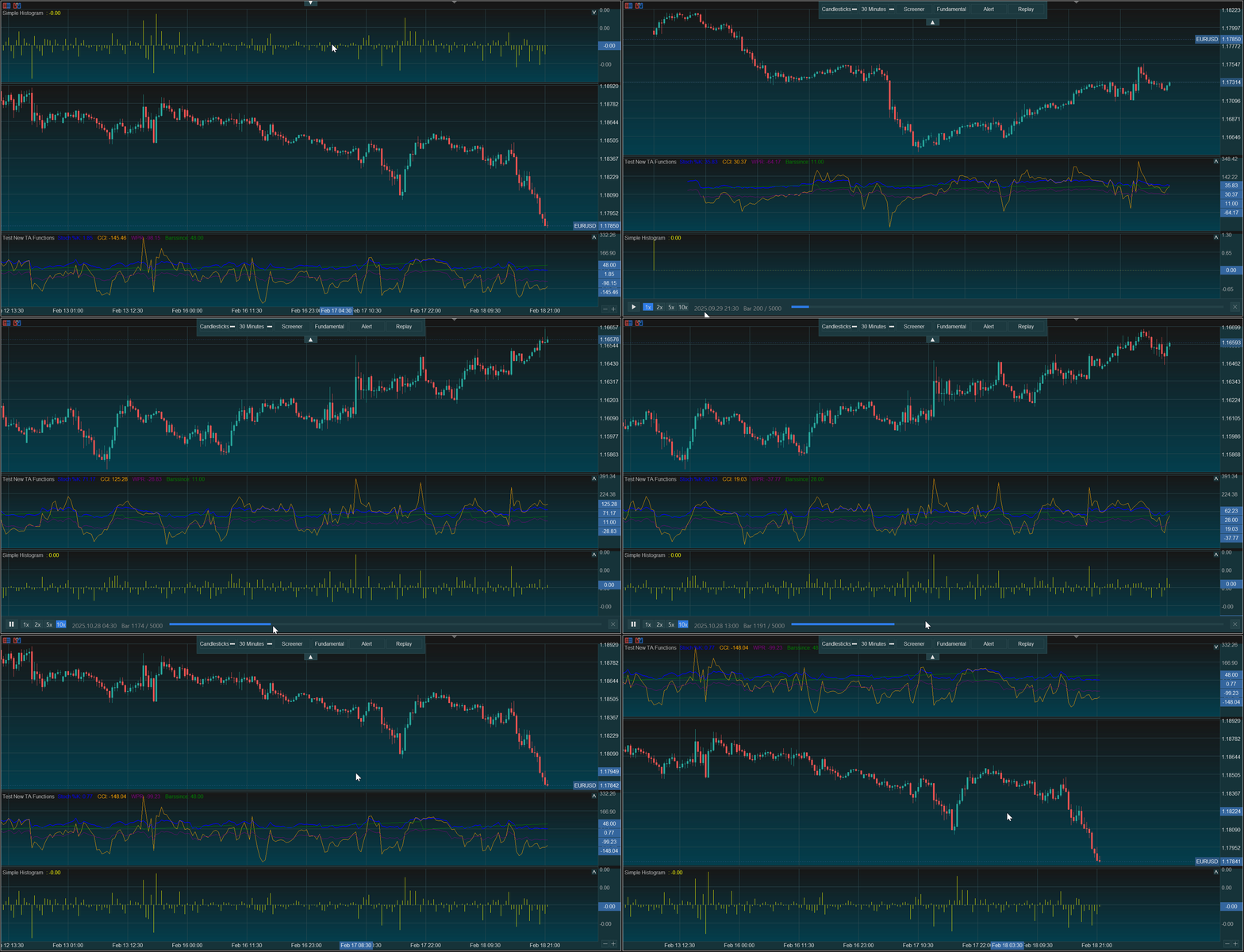
Bar replay mode with playback controls

Pine Script Engine

Full Pine Script Interpreter

Built-in lexer, parser, and per-bar execution engine. Runs Pine Script v5/v6 source code natively with proper series semantics and NA propagation.

69 Technical Analysis Functions

SMA, EMA, RSI, MACD, Bollinger Bands, Stochastic, SuperTrend, Parabolic SAR, DMI, CCI, ATR, and more — all computed per-bar with correct Pine Script warmup and NA handling.

Drawing Objects & Tables

Pine Script line, label, box, and hline drawings with styled rendering and automatic eviction. Plus screen-anchored tables with 9 positions and auto-sized cells.

Strategy Trading via MQL5

Pine Script strategies execute real orders through MQL5's CTrade. Entry, close, exit, cancel — all mapped to your broker. Backtest in MT5 Strategy Tester, go live on any account.

Multi-Indicator & Multi-Timeframe

Run multiple Pine Script indicators at the same time with isolated state. Use request.security() for cross-symbol and higher-timeframe data, just like in TradingView.

User-Defined Types & Functions

Full UDT support: type declarations, .new() construction, field access, methods, chained access, copy. User functions with default/named args, var persistence, and recursion guard.


Pine Script API Coverage in MT5

PineChart implements 609 out of 768 Pine Script v5/v6 API functions — approximately 79% of the full Pine Script MetaTrader 5 specification, with new functions added every week.

0
Functions Implemented
0
Total Pine API Functions
0
Percent Implemented
0
TA Functions
Array
85%
Technical Analysis
100%
String
94%
Input
100%
Strategy
54%
Drawing / Tables
87%
Control Flow
100%
Barstate / Syminfo
100%
Math
100%
Color
100%
Date / Time
86%

For the full function-by-function breakdown, see the complete API coverage documentation.


PineChart vs Webhooks & Freelancers

If you want to run Pine Script in MetaTrader 5, the usual alternatives are webhook automations, freelance MQL5 ports, or manual rewrites. Webhooks can relay alerts, but they do not run full Pine Script logic natively inside MT5 charts. Freelance or manual conversions can work, but they take longer, cost more over time, and often require rework whenever the original script changes. PineChart takes a different approach: it runs Pine Script directly in MT5 through an in-platform interpreter, so you can keep a faster file-drop workflow while staying close to your TradingView script behavior.


PineChart vs Common Alternatives

See why traders choose PineChart instead of webhook-only automations or one-off freelance ports.

Feature PineChart Webhook Automation Freelance Developer
Setup Time Minutes ~ Hours to Days ~ Days to Weeks
Technical Skill Required None High ~ Medium
Works with any Pine Script Yes, API Coverage ~79% Alerts only ~ Varies
Update When Script Changes Replace file, done Rebuild logic Pay again
Multiple Indicators or Strategies Unlimited, in one workflow Limited ~ Custom scope
Modern charting UI TradingView-style No native UI Usually MT5 UI
Strategy backtesting MT5 Strategy Tester No native flow MT5 Strategy Tester
Ongoing cost One-time purchase Monthly Subscription Project/revision fees
Works with any MT5 broker Yes ~ Bridge-dependent Yes

Frequently Asked Questions About Pine Script in MetaTrader 5

Everything you need to know about running Pine Script indicators and strategies in MT5 with PineChart.

Yes. PineChart is an MQL5 Expert Advisor that runs Pine Script indicators directly inside MetaTrader 5. You paste your Pine Script source file into the MT5 Files directory, type the filename in the EA input, and PineChart's built-in interpreter executes the script on every bar — no manual conversion to MQL5 is needed. It currently supports 609 out of 768 Pine Script functions (approximately 79% of the full API), including moving averages, oscillators, drawing objects, and more.
No. PineChart includes a full Pine Script interpreter built entirely in MQL5. It has its own lexer, parser, and per-bar execution engine that reads your .txt Pine Script files at runtime. You never touch MQL5 code. Just place your Pine Script source file in the MT5 Files directory, specify the filename in the EA settings, and PineChart handles the rest — tokenizing, parsing the AST, and executing each bar with the correct Pine Script semantics.
PineChart currently implements 609 out of 768 Pine Script v5/v6 API functions (approximately 79%). This includes: 69 technical analysis functions (SMA, EMA, RSI, MACD, Bollinger Bands, Stochastic, SuperTrend, Parabolic SAR, DMI, CCI, ATR, and more), 47 array functions, 17 string functions, and all 14 input types, full strategy order functions (entry, close, exit, cancel), drawing objects (line, label, box, hline), tables, request.security() for multi-timeframe data, user-defined types and functions, and all control flow (if/else, for, while, switch, var/varip). See the API coverage section above for a category-by-category breakdown.
Yes. PineChart supports Pine Script strategies with real order execution through MQL5's CTrade library. You can use strategy.entry(), strategy.close(), strategy.close_all(), strategy.exit(), strategy.order(), strategy.cancel(), and strategy.cancel_all(). Strategy properties like strategy.position_size, strategy.equity, strategy.netprofit, and strategy.openprofit are also available. Strategies run in MT5's Strategy Tester for backtesting and can execute live trades on a real or demo account.
Manual porting means rewriting every Pine Script line in MQL5 — a different language with different data models, no series semantics, and no built-in TA library. This takes hours or days per indicator, requires MQL5 expertise, and you have to redo the work every time the original Pine Script changes. PineChart eliminates all of that: drop in your Pine Script source file and it runs as-is. The built-in interpreter faithfully reproduces Pine Script's per-bar execution model, NA propagation, series reverse-access semantics, and 609+ implemented Pine API functions/features. You also get a modern TradingView-style charting UI for free.
Yes. PineChart supports multi-indicator mode via a comma-separated list in the InpIndicators input. Each indicator gets its own isolated execution context (PineContext, UDT pool, table pool, cached AST) while sharing bar data, the PlotManager, DrawingStore, and SecurityDataPool. You can also run one optional strategy alongside your indicators using the InpStrategy input.
PineChart runs as a standard MQL5 Expert Advisor, so it works with any MetaTrader 5 broker. There are no special server-side requirements. As long as your broker provides a standard MT5 terminal, PineChart will run. For strategy execution and live trading, order compatibility depends on your broker's supported filling modes and order types, but the core Pine Script indicator functionality works universally.
If your Pine Script calls a function that PineChart hasn't implemented yet, the interpreter will log a message in the Experts tab identifying the unsupported function. Unsupported functions typically return na (not available) or 0, depending on context, so the rest of your script continues to execute. The API is actively being expanded — currently at 79% coverage (609 of 768 functions) with regular updates adding new namespaces and built-ins.
PineChart is not TradingView and is not affiliated with TradingView. It is an independent MQL5 Expert Advisor that provides two things: (1) a Pine Script interpreter that can execute Pine v5/v6 source code inside MetaTrader 5, and (2) a modern, TradingView-style charting interface with smooth, lag-free rendering. It does not connect to TradingView's servers or use TradingView's data. All market data comes from your MT5 broker. Think of PineChart as bringing Pine Script compatibility and a modern charting UI to the MT5 ecosystem.
PineChart is available on the MQL5 Marketplace. Visit the marketplace listing to see the current pricing, download the free demo, read user reviews, and purchase. After purchase, the EA is installed directly into your MetaTrader 5 terminal and is ready to use immediately.

Start Running Pine Script in MetaTrader 5 Today

Get PineChart from the MQL5 Marketplace and run Pine Script in MT5 in minutes. One-time purchase, free updates, works with any broker.